Choose your pricing plan
Get started for free and upgrade to get more features!
BASIC
Administration
$ 3.99 USD
per full user/month billed annually
(or $4.99 if billed monthly)
+ $ 0.79 USD
per kiosk user/month billed annually
(or $0.99 if billed monthly)
- ✓ All FREE features
- ✓ Add time for others

- ✓ Hide time & pages
- ✓ Required fields
- ✓ Bulk edit
- ✓ Decimal format
- ✓ Time audit
- ✓ Customize export
- ✓ Project templates
- ✓ Historical rates
- ✓ Edit profiles
- ✓ Import time
- ✓ Kiosk PIN
- ✓ Breaks

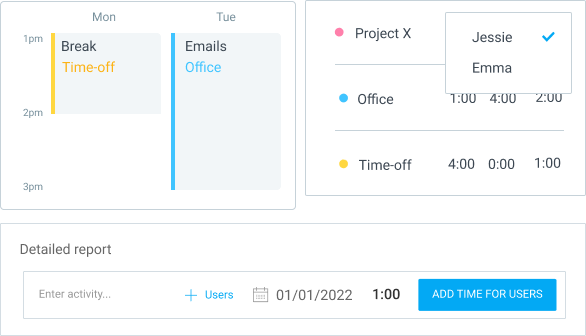
Add time for others
Log time on behalf of your team
See your teams' timesheet or calendar and directly add time for them. Or, add time for multiple people in a report.
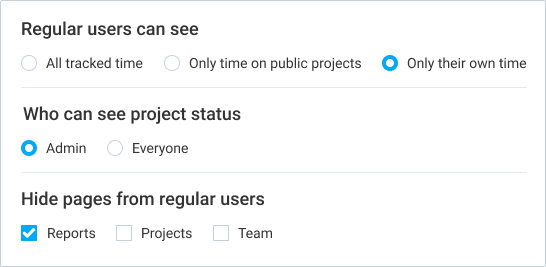
Hide time & pages
Prevent users from seeing everything
Hide Projects, Team, and Reports from regular users. Prevent people from seeing other people's time entries.
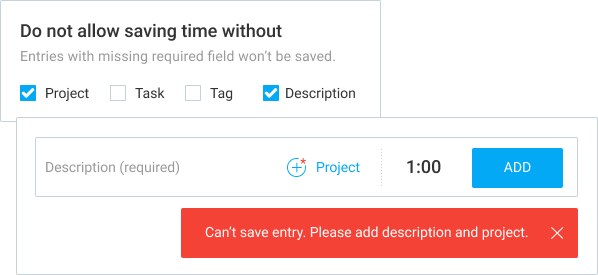
Required fields
Prevent incomplete time entries
Don't allow saving time that's missing a project, task, tag, description, or custom field.
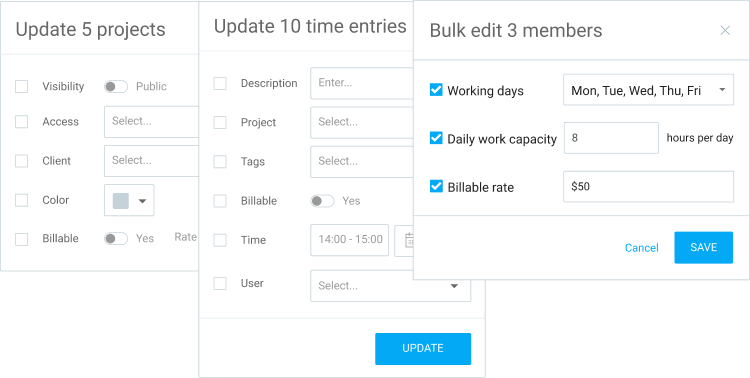
Bulk edit
Update multiple entries, projects, and users
Select and update multiple time entries, users, and projects at once with just a few clicks.
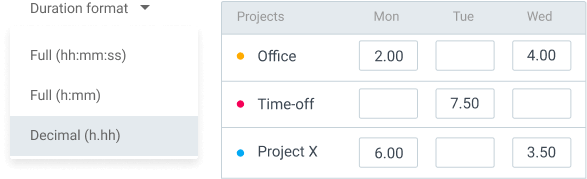
Decimal format
Display time in decimals
See, enter, and export time in decimal format.
Time audit
Clean up your reports
Find all entries that are too short/long or are missing information.

Customize export
Add logo and remove columns
Choose which data you don't need when exporting reports or projects (CSV, Excel), or PDF reports (data, name, logo).

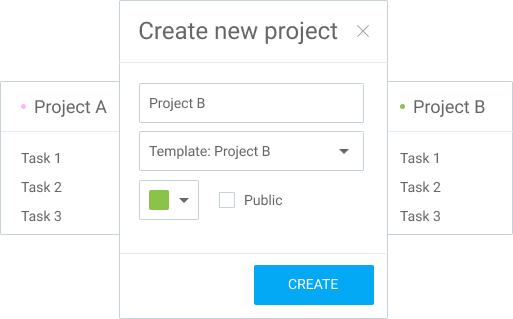
Project templates
Set up a lot of identical projects
Create new projects with the same task structure and settings like existing ones.
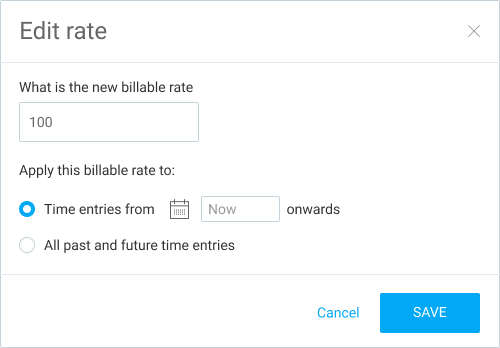
Historical rates
Update past hourly rates
Apply new hourly rates to past time entries.
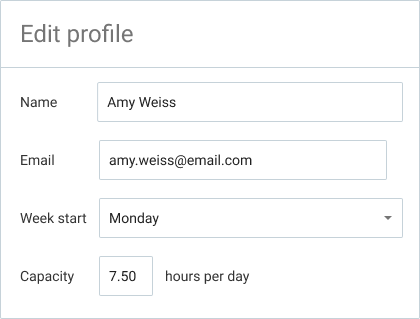
Edit profile
Edit team's information
Edit your team member's profile information, like their name or week start.
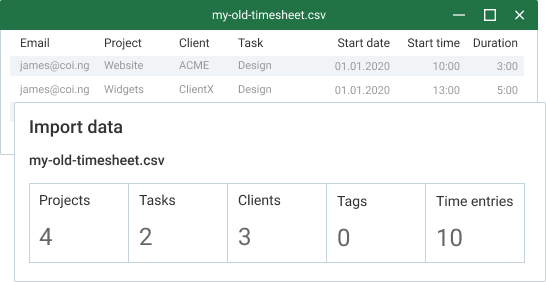
Import time
Import timesheets from a file
Upload a file with time entries directly to Clockify.
Kiosk PIN
Clock in with PIN
Allow employees to sign in to kiosk with their personal 4-digit PIN code.

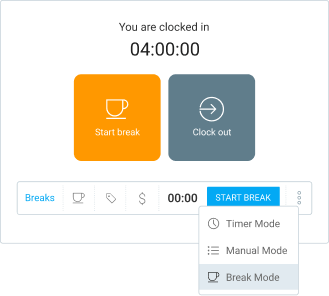
Breaks
Track break time
Allow people to track time they spend on breaks.
STANDARD
Timesheeting & Billing
$ 5.49 USD
per full user/month billed annually
(or $6.99 if billed monthly)
+ $ 1.19 USD
per kiosk user/month billed annually
(or $1.49 if billed monthly)
- ✓ All BASIC features
- ✓ Time off
- ✓ Invoicing
- ✓ Approval
- ✓ Lock time
- ✓ Attendance & overtime
- ✓ Targets & reminders
- ✓ Manager role
- ✓ Task rates
- ✓ Rounding
- ✓ QuickBooks integration
- ✓ Force 2FA
- ✓ Customize kiosk
Time off
Manage leaves and holidays
Define time off policies and holidays, request and approve leaves, see who's away and when, and track remaining balances.

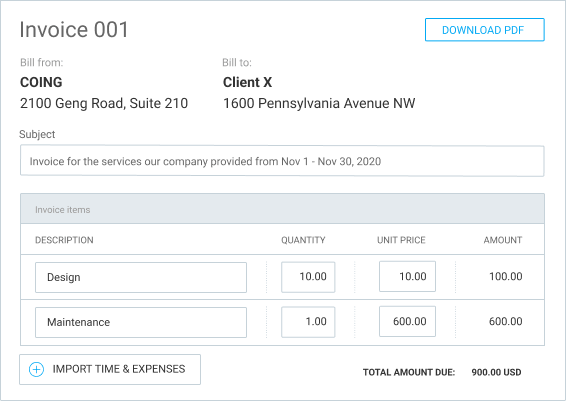
Invoicing
Issue invoices from tracked time
Create professional invoices for clients based on tracked time and expenses, download as PDF, and track their status.
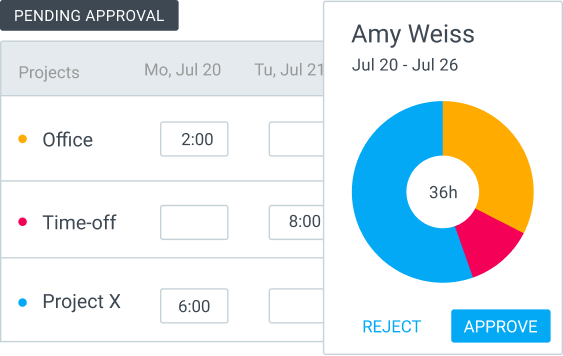
Time approval
Formally approve timesheets
Submit weekly or monthly timesheets and expenses for official manager review and approval so they can't be changed later.
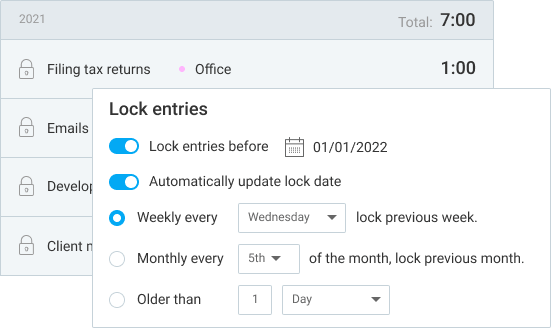
Lock time
Prevent editing past timesheets
Prevent users from changing their past timesheets and expenses.
Attendance & overtime
Prepare data for legal and payroll
See employees' daily start/end time, breaks, overtime, and time off in one report.

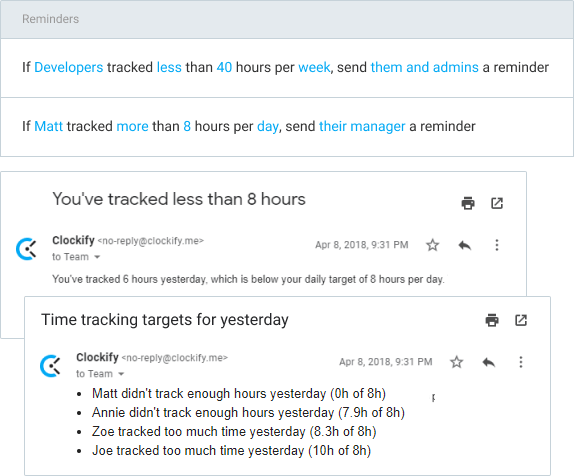
Targets & reminders
Remind people to log their time
Automatic emails when someone forgets to log time or tracks too much.
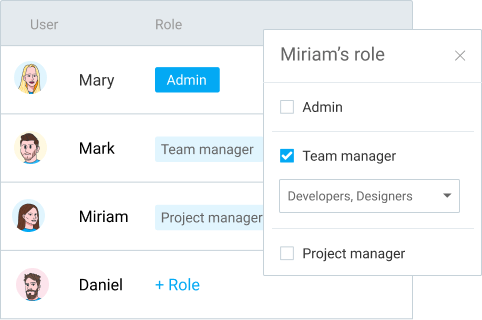
Manager role
Give users more permissions
Give manager rights to users so they can manage projects and approve timesheets.
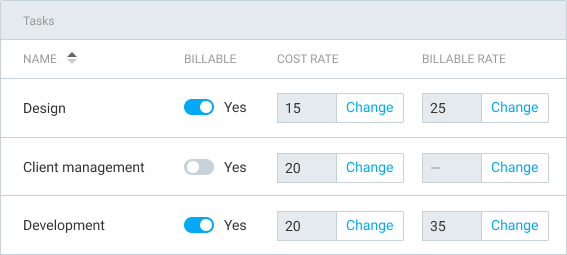
Task rates
Define hourly rate per each task
Define hourly rates for tasks on a project and choose which ones billable.
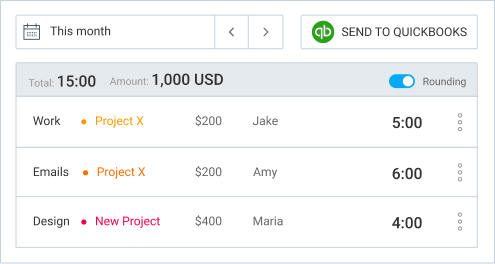
Rounding
Round time in reports
Round time up, down, or to nearest X minutes.

QuickBooks integration
Send time to QuickBooks
Sync users and project, and send time to QuickBooks for payroll and billing.
Force 2FA
Improve workspace security
Require everyone to have two-factor authentication enabled for better security.

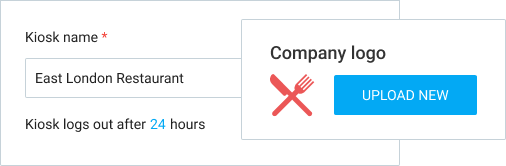
Customize kiosk
Add logo and control how long is kiosk open
Put your company's logo on the kiosk and choose how long the kiosk is opened when launched.
MOST POPULAR 
PRO
Profit & Productivity
$ 7.99 USD
per full user/month billed annually
(or $9.99 if billed monthly)
+ $ 1.59 USD
per kiosk user/month billed annually
(or $1.99 if billed monthly)
- ✓ All STANDARD features
- ✓ Scheduling
- ✓ Forecasting
- ✓ Expenses
- ✓ Labor cost & profit
- ✓ Budget & estimates
- ✓ Custom fields
- ✓ Multiple currencies
- ✓ User fields
- ✓ Email reports
- ✓ Alerts
- ✓ Force timer
- ✓ GPS tracking
- ✓ Screenshots
- ✓ Data region
Scheduling
Schedule employees and plan resources
Plan projects on a timeline, see who's available, manage resources, and give assignments.

Forecasting
Predict project performance
Visualize how your project is progressing. Add estimates and make predictions based on tracked and scheduled assignments.

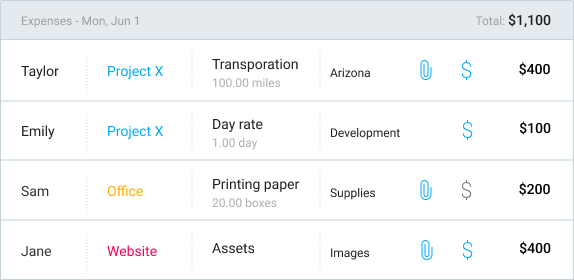
Expenses
Record expenses
Record fixed fees on projects and employee costs, attach receipts, and add them to invoices.
Labor cost & profit
Analyze profitability
Add labor cost hourly rates to projects and users, so you can compare what you pay your team vs what you charge clients.

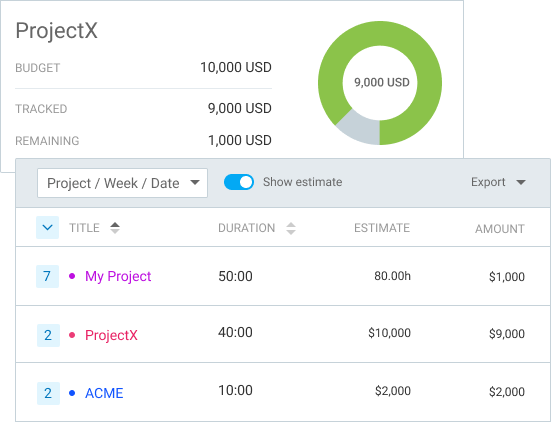
Budget & estimates
Track progress on projects
Set time or money budget on projects and track their status so they don't go over.
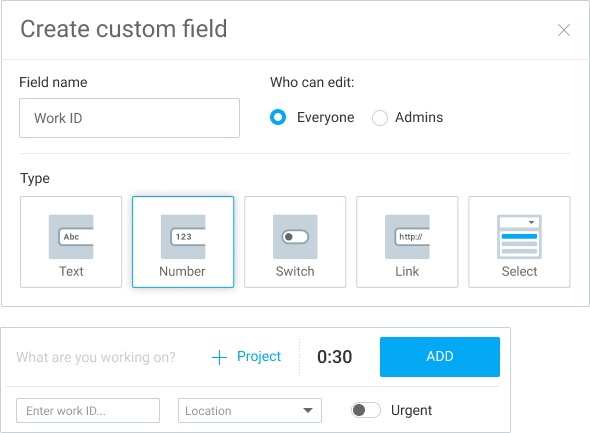
Custom fields
Track additional information
Add additional information and download complete time entries.
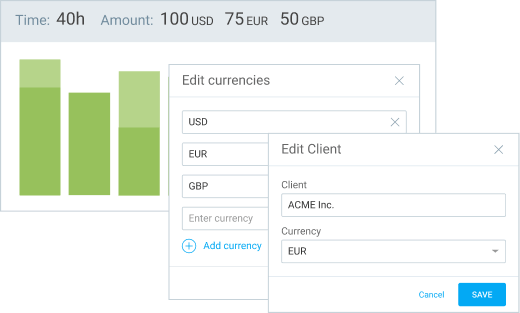
Multiple currencies
Set custom client currencies
Add multiple currencies and define a specific one for each client to see reports and amounts in their currencies.
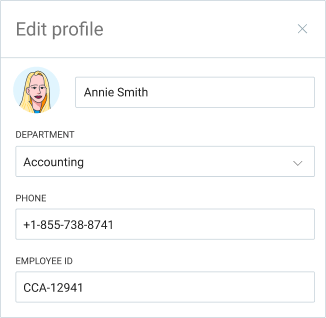
User fields
Add employee information
Add custom fields to users (eg. employe ID, department) so they're included in time exports.
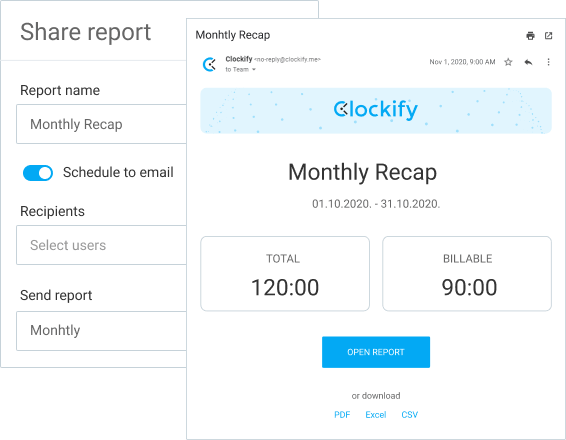
Email reports
Receive time reports via email
Receive a custom report via email each day, week, or month.
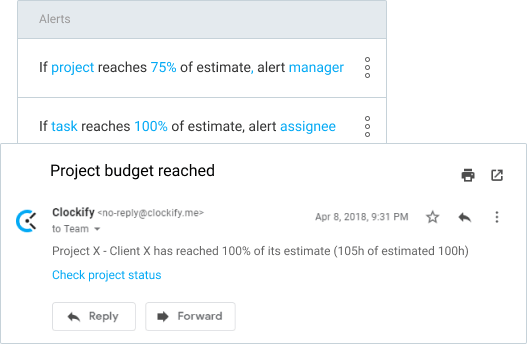
Alerts
Know when projects are about to go over budget
Get notified when a project reaches its allocated budget or estimate.
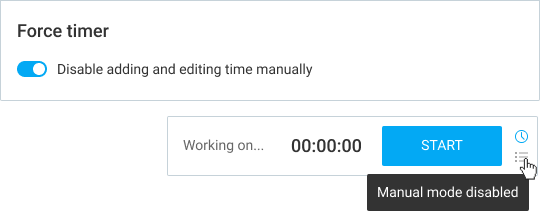
Force timer
Allow only timer
Prevent users from entering time manually or changing start/end time.
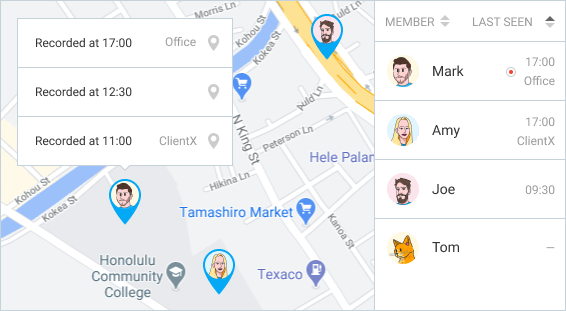
GPS tracking
See visited client sites and locations
Track your team's location and visited client sites while on the clock (optional).
Screenshots
Fill timesheets based on screenshots
Take computer screenshots every 5 minutes while on the clock (optional).

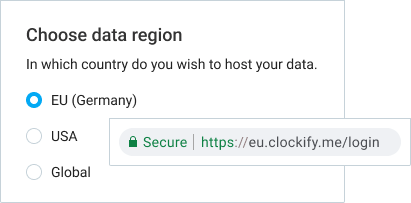
Data region
Choose where to host data
Host your data only in EU (Germany), UK, USA or Australia to ensure legal compliance.
ENTERPRISE
Control & Security
$ 11.99 USD
per full user/month billed annually
(or $14.99 if billed monthly)
+ $ 2.39 USD
per kiosk user/month billed annually
(or $2.99 if billed monthly)
- ✓ All PRO features
- ✓ Single sign-on (SSO)
- ✓ Custom subdomain
- ✓ Control accounts
- ✓ Audit log
Single sign-on
Improve user log-in security
Eliminate user-managed passwords and improve security by using your company's authentication system (SAML, Office 365, Okta, Google, etc.).

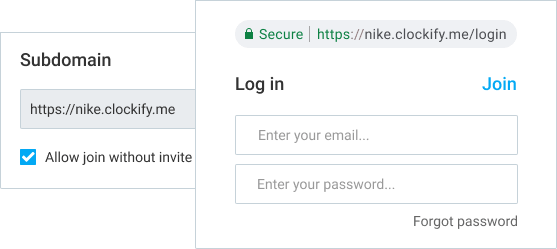
Custom subdomain
Move workspace to a custom URL
Choose the subdomain through which your users will use Clockify and remove the ability to have multiple workspaces.
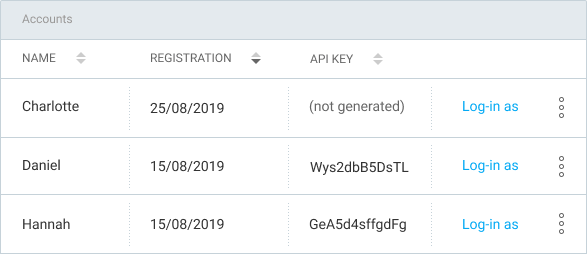
Control accounts
Get a direct access to your teams' accounts
See your users' information, manage their API keys, and log in on their behalf.
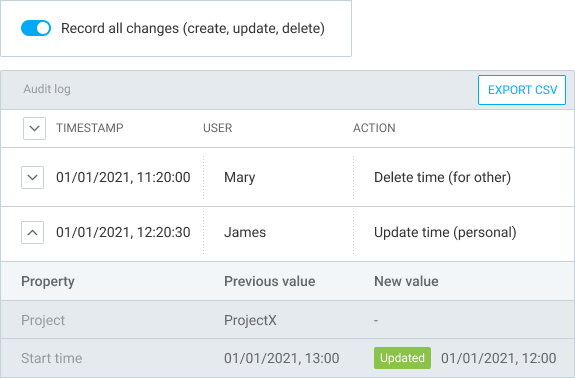
Audit log
Keep track of all the changes
Record all actions users make and see them in a detailed audit report (eg. show which entries were added manually and when).
 United States

Pricing for users who clock in/out from a single kiosk device starts from $0.99 USD per month.
 BASIC: $0.99 per kiosk user/month
STANDARD: $1.49 per kiosk user/month
PRO: $1.99 per kiosk user/month
ENTERPRISE: $2.99 per kiosk user/month
Compare features across plans
| FREE | BASIC | STANDARD | PRO | ENTERPRISE | |
|---|---|---|---|---|---|
| TIME TRACKING | |||||
|
Unlimited tracking
Track as much time as you want, without any limits.
|
✓ | ✓ | ✓ | ✓ | ✓ |
|
Time tracker
Start and stop timer as you work, or enter hours manually.Learn more |
✓ | ✓ | ✓ | ✓ | ✓ |
|
Timesheet
Log your weekly activities across tasks and projects in a timesheet.Learn more |
✓ | ✓ | ✓ | ✓ | ✓ |
|
Kiosk
Set up a shared time clock device from which employees can clock in and out.Learn more |
✓ | ✓ | ✓ | ✓ | ✓ |
|
Auto tracker
Track apps and websites you use and create timesheets based on the activities (only you can see the auto tracked data).Learn more |
✓ | ✓ | ✓ | ✓ | ✓ |
|
Calendar
Visualize your tracked time and edit them in Calendar view.Learn more |
✓ | ✓ | ✓ | ✓ | ✓ |
|
Apps
Track time using a mobile app, desktop app, and browser extension.Learn more |
✓ | ✓ | ✓ | ✓ | ✓ |
|
Pomodoro timer
Work in regular time intervals, followed by breaks.Learn more |
✓ | ✓ | ✓ | ✓ | ✓ |
|
Idle detection & reminders
Get reminded when you forget to start or stop the timer.Learn more |
✓ | ✓ | ✓ | ✓ | ✓ |
|
Tracking integrations
See events from Outlook & Google Calendar and track time inside other web apps (Asana, Trello, Jira, Clickup, Salesforce, and 80+).Learn more |
✓ | ✓ | ✓ | ✓ | ✓ |
|
Import time
Upload a file with time entries to Clockify.Learn more |
✓ | ✓ | ✓ | ✓ | |
|
Breaks
Allow employees to track time they spend on breaks.Learn more |
✓ | ✓ | ✓ | ✓ | |
|
Required fields
Don't allow saving time with missing fields and information.Learn more |
✓ | ✓ | ✓ | ✓ | |
|
Add time for others
Edit your team's timesheet and calendar, and log time on their behalf.Learn more |
✓ | ✓ | ✓ | ✓ | |
|
Time off
Track time off, holidays, and available days.Learn more |
✓ | ✓ | ✓ | ||
|
Targets & reminders
Automatic emails when someone forgets to log time or tracks too much.Learn more |
✓ | ✓ | ✓ | ||
|
Lock timesheets
Prevent users from changing their past timesheets.Learn more |
✓ | ✓ | ✓ | ||
|
Custom fields
Add additional information to time entries. Learn more |
✓ | ✓ | |||
|
Force timer
Prevent users from entering time manually or changing start/end time.Learn more |
✓ | ✓ | |||
|
GPS tracking
Track your team's location and visited client sites while on the clock (optional).Learn more |
✓ | ✓ | |||
|
Screenshots
Take computer screenshots every 5 minutes while on the clock (optional).Learn more |
✓ | ✓ | |||
| REPORTING | |||||
|
Team activity
See where your team spends time and what they're currently working on.Learn more |
✓ | ✓ | ✓ | ✓ | ✓ |
|
Reports
See who worked on what, how much money you earn, and review your team's time.Learn more |
✓ | ✓ | ✓ | ✓ | ✓ |
|
Export & share
Export reports (PDF, CSV, Excel) and share live links with others.Learn more |
✓ | ✓ | ✓ | ✓ | ✓ |
|
Billable rates
Enter hourly rates for users and projects, and see how much you earn.Learn more |
✓ | ✓ | ✓ | ✓ | ✓ |
|
Project status
See how much time is tracked on projects and tasks.Learn more |
✓ | ✓ | ✓ | ✓ | ✓ |
|
Project export
Export project data (CSV, Excel).Learn more |
✓ | ✓ | ✓ | ✓ | ✓ |
|
API & Webhooks
Push and pull data to and from Clockify, and connect with your systems.Learn more |
✓ | ✓ | ✓ | ✓ | ✓ |
|
Decimal format
See, enter, and export time in decimal format.Learn more |
✓ | ✓ | ✓ | ✓ | |
|
Time audit
Find entries without project and task, and with suspicious duration (too short or too long).Learn more |
✓ | ✓ | ✓ | ✓ | |
|
Customize exports
Choose what you wish to see in your exports (name, logo, columns, information).Learn more |
✓ | ✓ | ✓ | ✓ | |
|
Historical rates
Apply new hourly rates to past time entries.Learn more |
✓ | ✓ | ✓ | ✓ | |
|
Rounding
Round time up, down, or to nearest X minutes.Learn more |
✓ | ✓ | ✓ | ||
|
Attendance & overtime
See employees' daily start/end time, breaks, overtime, and time off in one report.Learn more |
✓ | ✓ | ✓ | ||
|
QuickBooks integration
Sync users and project, and send time to QuickBooks.Learn more |
✓ | ✓ | ✓ | ||
|
Task rates
Enter a specific hourly rate on tasks.Learn more |
✓ | ✓ | ✓ | ||
|
Labor cost & profit
Compare what you pay your team vs what you charge your clients.Learn more |
✓ | ✓ | |||
|
Budget & estimates
Set time or money budget on projects and track progress.Learn more |
✓ | ✓ | |||
|
Multiple currencies
Set custom currencies for each client.Learn more |
✓ | ✓ | |||
|
Forecasting
Visualize project progress and see if it'll go over the schedule.Learn more |
✓ | ✓ | |||
|
Alerts
Get notified when a project reaches its allocated budget or estimate.Learn more |
✓ | ✓ | |||
|
User fields
Add custom information to employees (eg. employee ID) and export along with their time entries.Learn more |
✓ | ✓ | |||
|
Assignment report
Compare scheduled vs actual work hours across projects, users, and dates.Learn more |
✓ | ✓ | |||
|
Expense report
See all expenses in one place, edit them, download receipts, and export data.Learn more |
✓ | ✓ | |||
|
Email reports
Receive a custom report via email each day, week, or month.Learn more |
✓ | ✓ | |||
| MANAGEMENT | |||||
|
Unlimited users
Invite your whole team to track time.Learn more |
✓ | ✓ | ✓ | ✓ | ✓ |
|
Unlimited projects
Organize time by project, client, task, and tag.Learn more |
✓ | ✓ | ✓ | ✓ | ✓ |
|
Import projects
Import projects, clients, tasks, and tags from a file.Learn more |
✓ | ✓ | ✓ | ✓ | ✓ |
|
Project access
Control who can track time on what projects and tasks.Learn more |
✓ | ✓ | ✓ | ✓ | ✓ |
|
Languages
Use Clockify in your native language (Deutsch, English, Español, Français, Português, 日本, 한국어).Learn more |
✓ | ✓ | ✓ | ✓ | ✓ |
|
Team chat
Communicate with your team and share files via direct messages and channels.Learn more |
✓ | ✓ | ✓ | ✓ | ✓ |
|
Hide time & pages
Prevent users from seeing projects, reports, and other members and their time entries.Learn more |
✓ | ✓ | ✓ | ✓ | |
|
Bulk edit
Update multiple time entries, projects, and users at once.Learn more |
✓ | ✓ | ✓ | ✓ | |
|
Project templates
Create new projects with the same structure from existing ones.Learn more |
✓ | ✓ | ✓ | ✓ | |
|
Edit profiles
Edit your team's information (name, photo, and other).Learn more |
✓ | ✓ | ✓ | ✓ | |
|
Kiosk PIN
Allow employees to log into kiosk with their PIN code.Learn more |
✓ | ✓ | ✓ | ✓ | |
|
Customize kiosk
Put your company's logo on the kiosk and choose how long the kiosk is opened when launched.Learn more |
✓ | ✓ | ✓ | ||
|
Invoicing
Create invoices from tracked time and expenses.Learn more |
✓ | ✓ | ✓ | ||
|
Approval
Submit timesheets for manager review and approval.Learn more |
✓ | ✓ | ✓ | ||
|
Manager role
Give manager rights to users so they can manage projects and approve timesheets.Learn more |
✓ | ✓ | ✓ | ||
|
Force 2FA
Require everyone to have two-factor authentication enabled for better security.Learn more |
✓ | ✓ | ✓ | ||
|
Scheduling
Plan projects on a timeline, see who's available, manage resources, and give assignments.Learn more |
✓ | ✓ | |||
|
Expenses
Record fixed fees on projects and attach receipts.Learn more |
✓ | ✓ | |||
|
Data region
Choose in which country you wish to host data.Learn more |
✓ | ✓ | |||
|
Single sign-on (SSO)
Eliminate user-managed passwords and improve security by using your company's authentication system (SAML, Office 365, Okta, Google, etc.).Learn more |
✓ | ||||
|
Custom subdomain
Move workspace to custom subdomain, prevent people from having multiple workspaces, and let new users join your workspace automatically.Learn more |
✓ | ||||
|
Control accounts
Manage and edit accounts of your users by logging in as them.Learn more |
✓ | ||||
|
Audit log
Record all changes and have a record of who did what and when.Learn more |
✓ | ||||
|
|
SIGN UP | EXPLORE | EXPLORE | EXPLORE | EXPLORE |
Join millions of happy customers
4.7 RATING • 4,000+ REVIEWS • 95% CUSTOMER SATISFACTION





Streamline processes
✓Collect timesheets efficiently
✓Track time off & overtime
✓Ensure labor law compliance
✓Bill clients accurately
EXPLORE STANDARD →

Improve profitability
✓Plan work & resources
✓Track project status
✓Analyze costs & profit
✓Boost productivity
EXPLORE PRO →

Manage security at scale
✓Manage access using SSO
✓SOC2 & GDPR compliance
✓Control where data is hosted
✓Audit change log
EXPLORE ENTERPRISE →
Frequently asked questions
You can track as much time and invite as many users as you want, and use Clockify for free as long as you want. We also offer support to everyone, regardless of their plan. If you need additional features, you can upgrade at any time.
Absolutely! You can try out all PRO features for free for 7 days, no credit card required. You can activate the free trial on the Upgrade page. If you need more time, be sure to contact our sales team for an extension and a demo.
Each active and invited user on a paid plan requires a paid seat. If you deactivate some user, you free up their paid seat so you can invite a new user. If you buy another seat mid-cycle, you'll be charged a prorated price for that billing cycle.
It depends on your company's country of origin. All the prices are displayed without taxes, and if we are legally required to collect VAT from your country, then that tax will be added on top of the final price, which you will see at checkout before making a payment.
You can cancel your subscription at any time in just a couple of clicks on the Upgrade page. Once you cancel and the current subscription expires, you will be downgraded to the free version and no further charges will be made. You won't lose any data (canceling only affects access to the extra features).
We support payments by credit card for all plans. We support wire transfers and purchase orders for ENTERPRISE plan (annual billing, over 50 seats).
We don't offer refunds. But, if you were mistakenly charged due to system error, contact us and we'll immediately issue you a refund. If you wish to test extra features, we recommend activating the free 7-day trial first, BEFORE making any payment.
We offer 20% OFF on all our plans when paying annually. Other than that, we don't offer any further discounts. We keep all our prices affordable so everyone gets the best possible deal, no negotiation necessary.
If you use the kiosk mode, you can add employees by name as limited users. When upgrading, you pay a separate price for them. Limited users can only track time via kiosk. To use mobile app, you need to add their email and convert them to full users.
You prepay a seat for the whole year in advance and get 20% OFF. If you add another seat midway, you pay a prorated price for the rest of the year. If you need someone for just a brief period, you can deactivate them later to free up their paid seat for someone else.